
Curated Defaults And Supply-Chain Safety
The fastest way to compromise an agent is to let it install anything. Ambient ships a small set of reputable, reviewed, sandboxed capabilities as defaults — so common tasks work out of the box without gambling on unknown packages.
Plugin Manager
Plugin Manager presents curated defaults, install state, and capability trust boundaries.
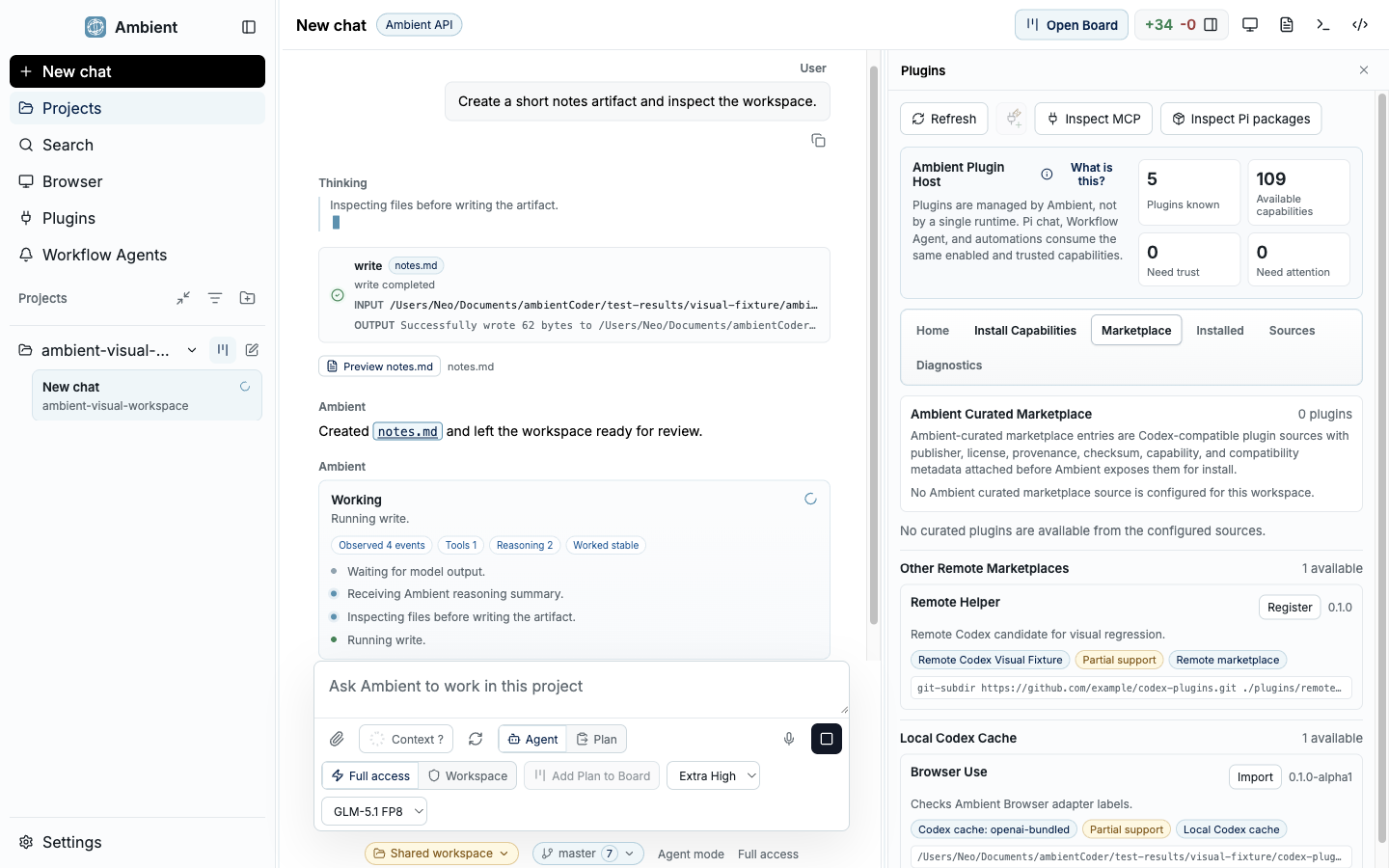
Curation is a security decision
An open plugin market is a supply-chain attack surface. Any package an agent can install on its own is a package that could read your files, steal credentials, or drive a browser with your privileges. Asking a user to vet each one defeats the point of automation.
So Ambient curates the defaults. The capabilities that show up ready to install are chosen from reputable upstreams, wrapped in reviewed descriptors, pinned to specific runtimes, and isolated with ToolHive. You can still add your own — but the common path does not require you to trust a stranger's code.
The curated default catalog
These are the kinds of capabilities Ambient surfaces as reviewed defaults. Each is a known, reputable upstream wrapped behind a pinned descriptor and permission policy.
Scrapling
Public web extraction that adapts between fetch-based and browser-based scraping. Runs inside ToolHive because any page can be hostile.
Context7
Up-to-date library and framework documentation lookup, so the agent grounds answers in current docs.
Search
A reviewed web-search provider returns candidate sources and snippets, which the agent can then read with a fetch or browser capability.
Browser surfaces
First-party, policy-bounded browser capabilities for rendering, login state, and screenshot evidence where extraction is not enough.
How a default earns its place
A capability does not become a one-click default until it has passed a deliberate pipeline. The same pipeline is what makes the defaults safe to trust.
Select
Start from a reputable upstream or official CLI with a narrow, well-understood use case — not an arbitrary community package.
Wrap
Express it as a descriptor with a pinned runtime version and a ToolHive permission profile, so what it can do is explicit.
Validate
Run install smoke tests, schema checks, and permission tests in release gates before it ships as a default.
Expose
Only then does it appear in the default catalog — still behind user approval and with diagnostics and an uninstall path.
Scrapling, end to end
Scrapling is a good example of the whole philosophy. Agents genuinely need web extraction, and Scrapling is good at it — which is exactly why it is risky, because extraction means loading pages an agent chose, not a human. Ambient ships it as a reviewed default, installs it through a pinned descriptor, runs it as a ToolHive-managed workload, and still keeps individual tool calls permissioned. You get the capability without handing arbitrary pages a foothold on your machine.
FAQ
Can I still install things that are not curated?
Yes. Custom MCP servers, Pi packages, and capabilities you build yourself are all supported. Curation governs the defaults, not your ceiling — riskier additions just go through privileged review.
What do I need for the default web capabilities?
ToolHive-backed capabilities such as Scrapling need a container runtime (Docker, Podman, or equivalent) installed and running. Core Setup checks for it and routes you through recovery if it is missing.
How is this validated?
The curated catalog is covered by validation commands like validate:curated-marketplace and test:mcp-default-catalog, which check descriptors, schemas, and permission behavior.