
Comparisons
Ambient vs Codex CLI
Both are coding agents. Codex CLI lives in your terminal; Ambient Desktop wraps a coding agent in a durable, inspectable workstation.
Developer Preview
Product screenshots
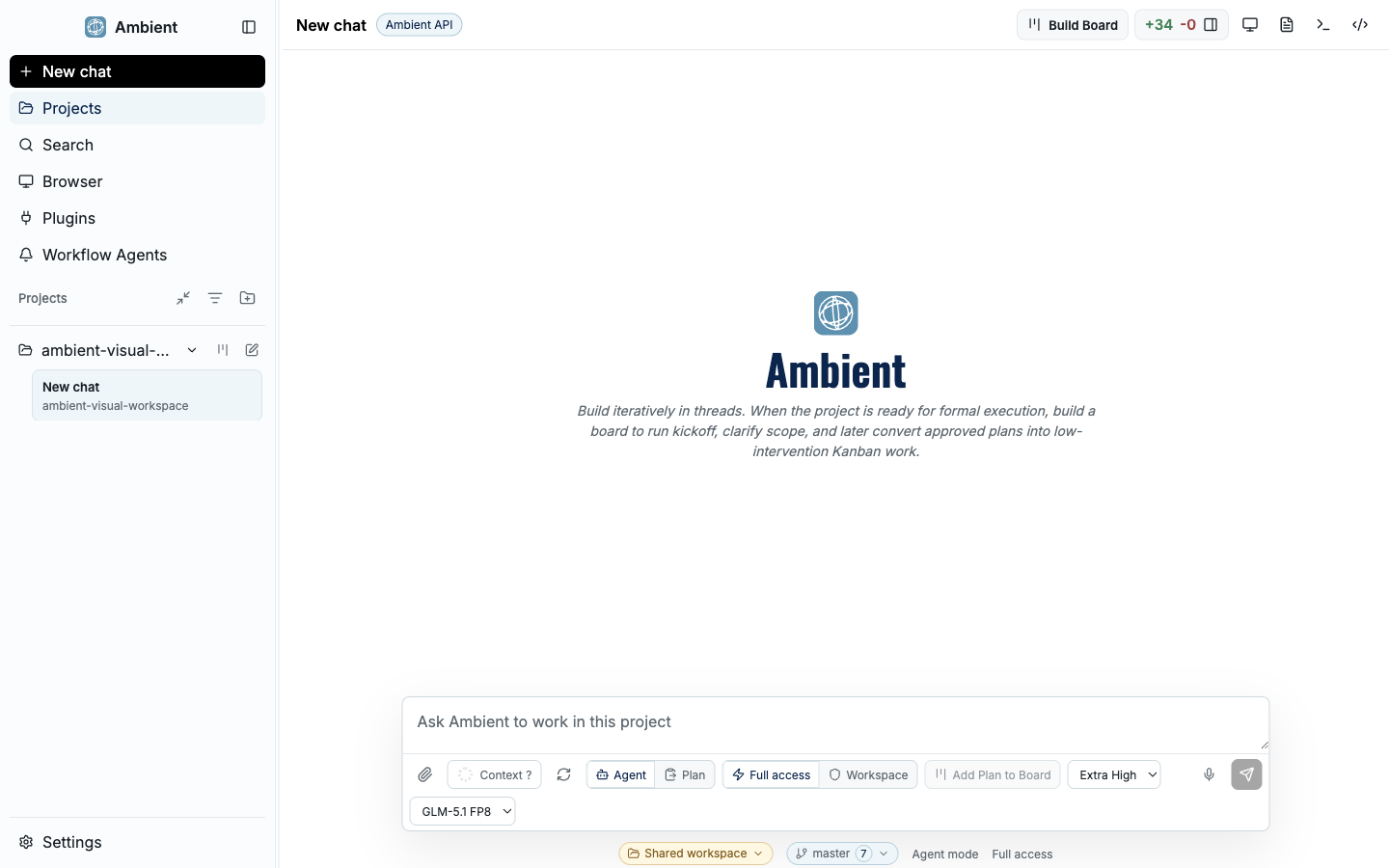
Main shell
The main Ambient Desktop shell combines chat, workspace context, navigation, and evidence panels in one local developer workstation.
The short version
Codex CLI is a focused, terminal-native coding agent — fast to reach for inside an existing shell workflow. Ambient Desktop includes a coding agent too, but surrounds it with a workspace: a Project Board, durable goals, provider routing, sandboxed capabilities, browser evidence, and Git review. If you want a lightweight terminal loop, a CLI is great. If you want long-running work you can pause, inspect, and trust, that is what Ambient is built for.
Feature comparison
| Dimension | Ambient Desktop | Codex CLI |
|---|---|---|
| Form factor | Desktop app with a full GUI (macOS, Windows, Linux) | Command-line agent in your terminal |
| Work surface | Project Board, durable goals, artifact previews, Git review | Chat-style turns and file edits in the terminal |
| Long-running work | Plan and evidence persist across restarts | Scoped to the terminal session |
| Multiple agents | Symphony orchestrates scoped child agents with budgets and joins | Single agent loop |
| Capability isolation | ToolHive containers, permission policy, secret redaction | Runs with your shell's permissions |
| Web and browser | Search → fetch → browser fallback with evidence | Depends on configured tools |
| Local models | Local-first routing (llama.cpp, MiniCPM-V vision) | Cloud model via API |
| Extensibility | Curated MCP catalog, Pi packages, Capability Builder | MCP and tool config via the CLI |
When to choose which
Reach for Codex CLI when
- You live in the terminal and want a quick edit-and-run loop.
- The task is small, single-session, and easy to eyeball.
- You are scripting an agent into existing shell automation.
Reach for Ambient when
- Work spans many steps, files, or sessions and must survive restarts.
- You want to review evidence before trusting a result.
- You need sandboxed web/browser/MCP capabilities and provider routing.
- You want to delegate to specialist sub-agents with Symphony.